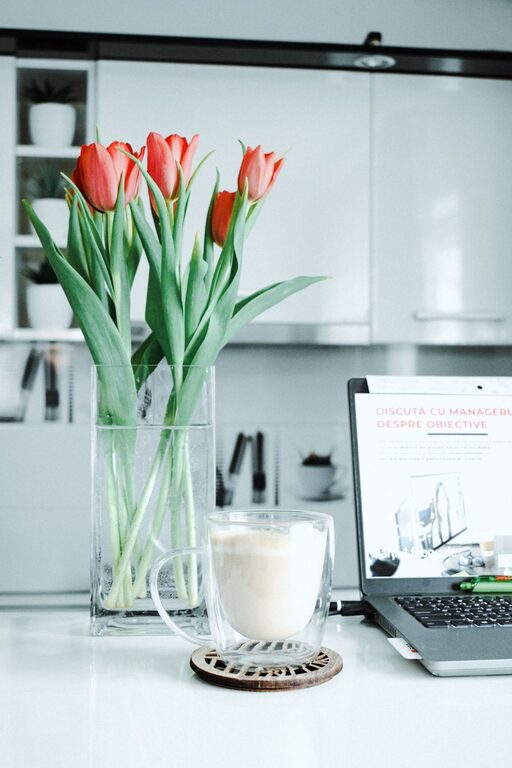

Creating a workspace at home that is both cozy and productive can significantly enhance your work-from-home experience. Whether you’re freelancing, running a small business, or working remotely for a company, the right environment helps improve focus, reduce stress, and increase overall job satisfaction. Here are some practical tips to design a home office space that promotes comfort and efficiency.
Choose the Right Location
Selecting the ideal spot for your workspace is the first step toward productivity. Consider areas in your home that offer:
– Natural Light: A space near windows can boost your mood and energy by providing natural daylight.
– Minimal Distractions: Choose a quiet corner away from high-traffic zones like the kitchen or living room.
– Adequate Space: Ensure there’s enough room for your desk, chair, and storage without feeling cramped.
If space is limited, a well-organized nook or even a small section of a larger room can work with thoughtful planning.
Invest in Comfortable and Functional Furniture
Your desk and chair are the heart of your workspace. Here’s what to keep in mind:
– Ergonomic Chair: Look for a chair that supports good posture, with adjustable height and lumbar support.
– Desk Height: Opt for a desk that fits your height and allows you to sit comfortably with arms at a 90-degree angle.
– Flexible Furniture: Consider standing desks or desks with adjustable height to change positions throughout the day.
Comfortable furniture not only prevents physical discomfort but also helps maintain focus during long work sessions.
Organize Your Space for Efficiency
Clutter can be distracting and increase stress levels. Keep your workspace tidy and organized with these strategies:
– Use Storage Solutions: Shelves, drawers, and organizers keep supplies within reach but out of sight.
– Manage Cables: Use clips or cable organizers to keep cords neat and tangle-free.
– Daily Declutter: Spend a few minutes at the end of each day clearing your desk and putting items away.
A clean workspace creates a clear mind, helping you tackle tasks more effectively.
Personalize Your Workspace
Adding personal touches makes your work area more inviting and comfortable:
– Decorate with Plants: Plants improve air quality and add a calming, natural element.
– Choose Soothing Colors: Soft colors like blues, greens, or neutrals can create a relaxing atmosphere.
– Add Art or Photos: Inspiring images or photos of loved ones can boost your mood.
Personalizing your space makes it a place you enjoy spending time, which can increase motivation.
Optimize Lighting
Good lighting reduces eye strain and keeps you alert:
– Combine Natural and Artificial Light: Use a mix of daylight and task lighting to illuminate your workspace evenly.
– Desk Lamp: A lamp with adjustable brightness is ideal for reading or detailed tasks.
– Avoid Glare: Position screens and light sources to minimize reflections and shadows.
Proper lighting supports comfortable, sustained work periods.
Minimize Noise Distractions
Noise can break your concentration, so consider ways to control sound:
– Use Headphones: Noise-canceling headphones or soothing background music can mask distracting sounds.
– Soft Furnishings: Rugs, curtains, and cushions help absorb ambient noise.
– Communication: Set boundaries with family or housemates about your working hours.
A quieter environment helps maintain focus and productivity.
Establish a Routine and Boundaries
A cozy workspace also depends on good habits:
– Set Regular Hours: Working consistent hours helps your mind switch into work mode.
– Take Breaks: Short breaks help maintain energy and reduce fatigue.
– Separate Work and Leisure: Avoid using your workspace for non-work activities to keep professional boundaries clear.
Creating routines reinforces productivity and mental well-being.
Use the Right Technology
Make sure your technology supports your workflow without frustration:
– Reliable Internet: A strong connection prevents disruptions during calls or uploads.
– Essential Tools: Choose software and devices that meet your needs without overcomplicating your setup.
– Backup Solutions: Regularly back up work to avoid data loss.
Having dependable technology means fewer interruptions and a smoother workday.
Maintain Your Workspace
Finally, regularly updating and refreshing your workspace keeps it enjoyable:
– Deep Clean Periodically: Dust, vacuum, and sanitize surfaces to keep the environment healthy.
– Reassess Needs: As your work changes, adjust your setup to fit new requirements.
– Celebrate Progress: Recognizing improvements motivates you to maintain your space.
Keeping your workspace in good condition contributes to ongoing comfort and productivity.
—
By carefully designing your home workspace with comfort and function in mind, you’ll create a place where work feels easier and more enjoyable. These tips can help you build a cozy environment that supports focus, creativity, and well-being—an ideal blend for getting the job done from home.
About the Author