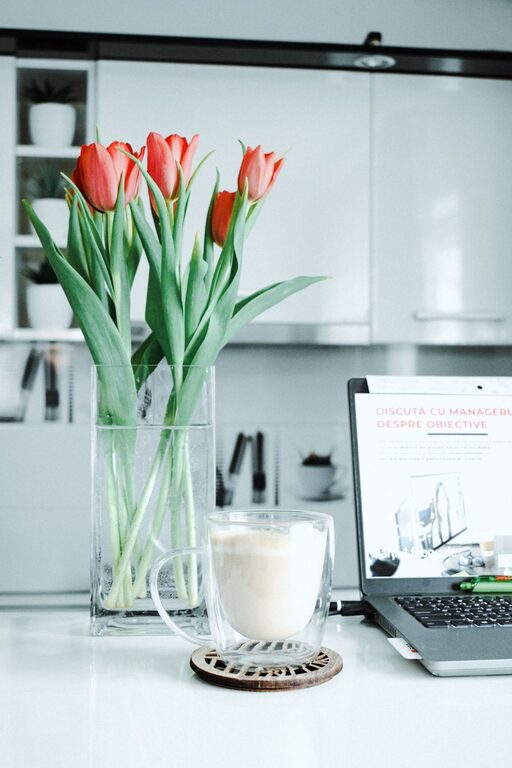
Creating a productive home office environment is essential for anyone working remotely or managing tasks from home. A well-organized and thoughtfully designed workspace can improve focus, reduce stress, and increase efficiency. Whether you have a dedicated room or a small corner, these tips will help you set up a home office that encourages productivity and comfort.
Choose the Right Location
Finding the ideal spot for your home office lays the foundation for productivity. Here are some factors to consider:
– Natural Light: Try to select a space with plenty of natural sunlight. Exposure to daylight helps regulate your circadian rhythm, increasing alertness and mood.
– Quiet Area: Pick a quiet part of your home, away from heavy foot traffic or noise from appliances.
– Separation: If possible, choose a space separate from your relaxation areas. This physical boundary helps your brain switch into work mode.
Even if you don’t have an entire room, a corner in your living room or bedroom can work well if you create clear boundaries.
Invest in Ergonomic Furniture
Comfort is critical since you’ll spend several hours at your desk. Setting up ergonomic furniture helps prevent strain and fatigue.
– Chair: Use an adjustable chair with proper lumbar support to keep your back healthy.
– Desk: Your desk should be at a height where your arms rest comfortably, bent at about 90 degrees.
– Monitor Position: Place your computer monitor at eye level to avoid neck strain.
Small adjustments today can prevent discomfort and future health issues.
Organize Your Workspace for Efficiency
Clutter can be a major distraction. Organize your workspace to minimize interruptions and make everything easy to find.
– Declutter Your Desk: Keep only essential items on your desk to maintain focus.
– Storage Solutions: Use drawers, shelves, or storage boxes to store supplies neatly.
– Cable Management: Keep cords organized and out of the way to avoid tangling and mess.
– Essential Tools: Have your most-used tools (notebooks, pens, headphones) within arm’s reach.
A tidy workspace promotes mental clarity and speeds up your workflow.
Optimize Lighting
Good lighting reduces eye strain and keeps you energized.
– Use Task Lighting: A desk lamp with adjustable brightness can complement natural light on cloudy days or during evening hours.
– Avoid Glare: Position your monitor to minimize reflections from windows or overhead lights.
– Choose Warm or Cool Light: Depending on your preference, warm light offers a cozy feel, while cool light can mimic daylight and improve alertness.
Experiment with different lighting setups to find what helps you work best.
Minimize Distractions
Working from home brings many potential distractions. Taking steps to minimize them can boost productivity.
– Schedule Breaks: Plan regular short breaks to recharge and prevent burnout.
– Use Headphones: Noise-canceling headphones or background music can help block out household noises.
– Set Boundaries: Communicate your work hours to family members or housemates to reduce interruptions.
– Turn Off Notifications: Manage your device notifications to limit non-work-related interruptions.
Creating focused work periods improves output and reduces stress.
Personalize Your Workspace
Making your workspace inviting can boost motivation.
– Add Plants: Indoor plants improve air quality and add a touch of nature.
– Decorate: Use artwork or photos that inspire you.
– Comfort Items: Include a cozy blanket or a cushion if that makes you feel more comfortable.
A pleasant workspace can encourage you to spend time there and feel good while working.
Ensure Proper Technology Setup
Reliable technology is crucial for remote work.
– Stable Internet: Invest in a strong internet connection to avoid disruptions.
– Hardware: Use up-to-date devices that can handle your work tasks efficiently.
– Backup Plan: Have a backup solution like cloud storage to protect important files.
– Tech Support: Know how to get help quickly if something goes wrong.
Having the right tools ensures smoother workdays.
Create a Routine and Stick to It
Establishing a daily routine helps separate work time from personal time.
– Set Work Hours: Decide your start and end times to create structure.
– Morning Routine: Begin your day with a consistent ritual to get mentally ready.
– Plan Tasks: Use to-do lists or digital planners to schedule your work.
– End-of-Day Ritual: Close your workbooks or shut down your computer to signify the end of work time.
Routines make working from home more manageable and reduce procrastination.
—
By incorporating these tips into your home office setup, you can create an environment that supports productivity, comfort, and well-being. Remember, the best workspace is one that suits your unique needs, so take time to customize it until it feels right. Happy working!
About the Author